
Web UI
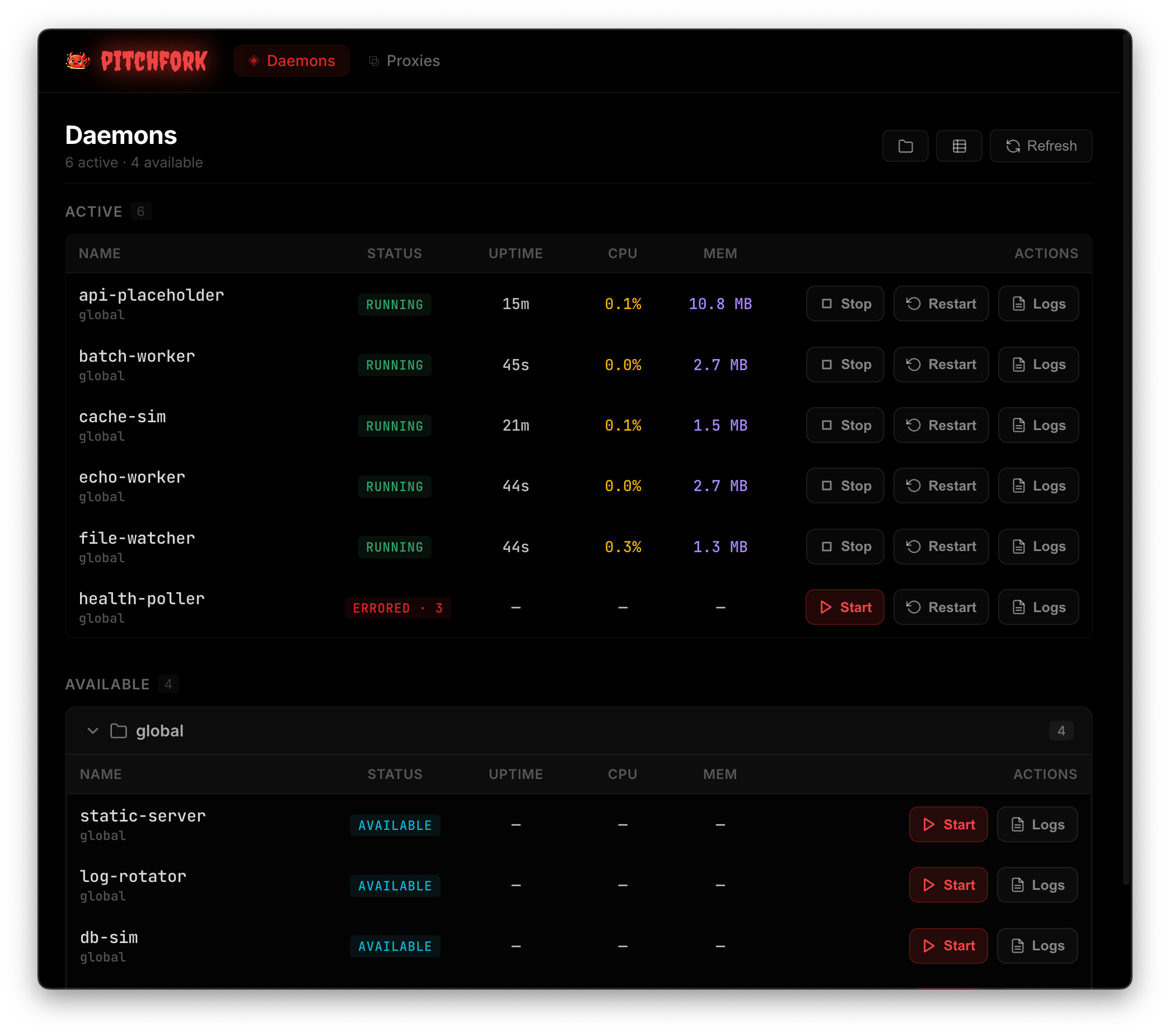
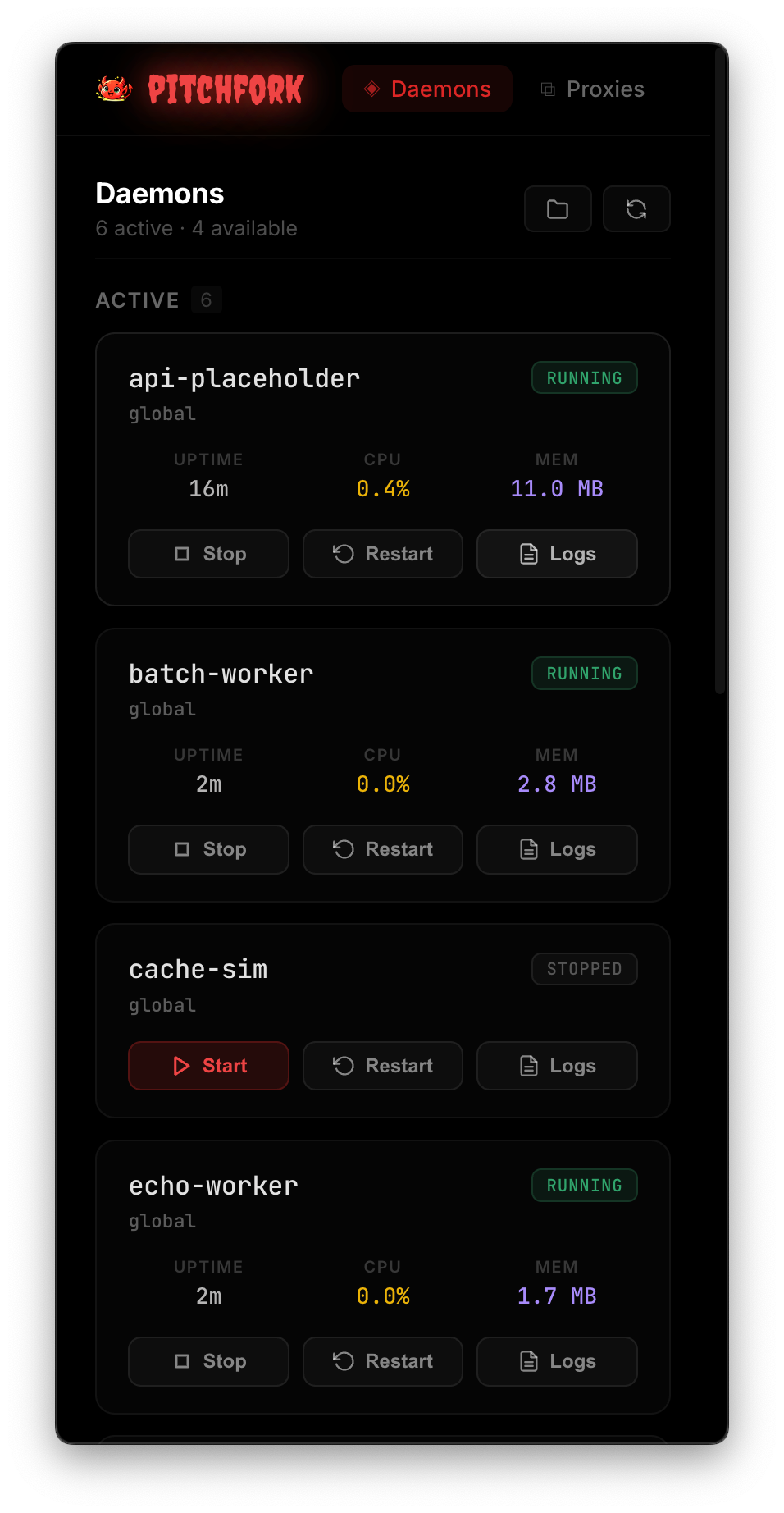
Use the web dashboard to inspect daemon status, start and stop services, and follow logs from your browser. It connects to the same supervisor as the CLI and TUI.
Enable the Web UI
The web UI is disabled by default. There are several ways to enable it:
One-time via CLI or environment variable
# Via CLI flag (foreground)
pitchfork supervisor run --web-port 3120

# Via environment variable (works with both run and start)
PITCHFORK_WEB_PORT=3120 pitchfork supervisor start --force
Persistent via settings
The web UI is owned by the supervisor process, so its settings are read once at supervisor startup and do not hot-reload. Changing [settings.web] in any config file requires restarting the supervisor with pitchfork supervisor start --force for the change to take effect.
Add this to ~/.config/pitchfork/config.toml for a consistent user-wide setup:
[settings.web]
auto_start = true    # Start web UI automatically with supervisor
bind_port = 3120     # Default port (default: 3120)
bind_address = "127.0.0.1"  # Default: localhost only
Or via environment variables:
export PITCHFORK_WEB_AUTO_START=true
export PITCHFORK_WEB_BIND_PORT=3120
Then restart the supervisor:
pitchfork supervisor start --forceOpen http://127.0.0.1:3120 in your browser.
If the specified port is in use, pitchfork tries up to 10 consecutive ports, including the requested port, (configurable via web.port_attempts).
Path prefix
You can serve the web UI under a sub-path, useful when running behind a reverse proxy:
pitchfork supervisor run --web-port 3120 --web-path ps
# Web UI available at http://127.0.0.1:3120/ps/
Or via settings:
[settings.web]
auto_start = true
base_path = "ps"
Standalone API Server
By default, the REST API is bundled with the web UI on the same port. You can run the API on a dedicated port separate from the web UI:
[settings.api]
auto_start = true
bind_port = 8080          # Dedicated API port
bind_address = "127.0.0.1"
port_attempts = 10
When api.auto_start = true and a valid api.bind_port are set, the API endpoints are available on that port without the static file serving. This is useful when you only need programmatic access and not the browser UI.
Authentication
The API uses token-based authentication when binding to non-loopback addresses. The web UI and standalone API serve plain HTTP: the token does not encrypt the connection. Keep their listeners on loopback, or use an HTTPS reverse proxy on the same host with a loopback HTTP backend for remote access. Sending X-Pitchfork-Token directly over a network via HTTP lets anyone who can observe the traffic capture and reuse the token.
- Loopback only (
127.0.0.1,::1): No token is required by default. If you configure a token, it is enforced for local requests too. - Non-loopback (e.g.,
0.0.0.0, LAN IP): If no token is configured, a random 64-character hex token is auto-generated at startup. The generated token is printed to stderr and logged.
To require a token on a loopback backend behind your HTTPS reverse proxy, configure one explicitly:
[settings.api]
token = "replace-with-a-long-random-token"
The proxy must forward X-Pitchfork-Token unchanged to the loopback API, which validates it. HTTPS protects the client-to-proxy connection; the HTTP hop to 127.0.0.1 stays on the same host. If the proxy runs on another host, use an authenticated encrypted tunnel to the API host instead of forwarding the token over a plain HTTP network connection. Pitchfork's API listener does not support TLS directly.
Include the token in every request when one is configured. This example assumes you have configured an HTTPS reverse proxy at pitchfork.example.com:
curl -H "X-Pitchfork-Token: <token>" https://pitchfork.example.com/api/daemonsWARNING
Never expose the API to a public network without authentication. The bundled web page receives the API token so it can make requests. The token is not a login barrier for the web dashboard; restrict network access to trusted clients or enforce access control at the reverse proxy.
API reference
See the HTTP API reference for daemon control, log streaming, namespace management, and project and stack data.
Features
Dashboard
Overview of all daemons showing:
- Name and status (running, stopped, failed)
- Process ID (PID)
- Error messages for failed daemons
Daemon Management
Control daemons directly from the browser:
- Start — Launch a stopped daemon
- Stop — Gracefully stop a running daemon
- Restart — Stop and start a daemon
- Enable/Disable — Control whether a daemon can be started
Projects and stacks
Open Projects to browse registered projects and their Git worktrees or jj workspaces. Each worktree has a stack: the daemon groups defined by its project configuration.
Opening a project or stack page never starts a daemon. Use the start or restart buttons to run services. Visiting a daemon's proxy hostname can still start that daemon on demand.
Find a project
Projects come from the namespace registry. To add a project, register its directory in your user config:
# ~/.config/pitchfork/config.toml
[namespaces.shop]
dir = "/path/to/shop"
The project page lists each worktree's namespace and daemon counts, including configured daemons that have never run. Select a worktree to open its stack; the primary checkout's stack also appears on the project page. Last activity shows the start time of the most recently started daemon still running; it is empty when no daemons are running.
A registered linked worktree appears under its main checkout when that checkout is also registered. Otherwise, it appears as a separate project containing only that worktree. Deleted project directories remain listed as missing until you remove their registry entries.
Run a stack
Define groups in your project's pitchfork.toml to control daemons together:
# shop/pitchfork.toml
[daemons.api]
run = "npm run api"

[daemons.worker]
run = "npm run worker"

[groups.default]
daemons = ["api", "worker"]
The default group appears first, with Start stack, Stop stack, and Restart stack buttons. In this example, they control shop/api and shop/worker. Stop runs in reverse declaration order: worker, then API. Other groups have their own start, stop, and restart buttons. Daemons outside any group appear under ungrouped, and each daemon has individual controls and a link to its logs.
The stack uses groups from the worktree's project configuration chain, excluding user and system config files. See daemon groups for group syntax and merge rules.
Resolve unavailable actions
Start and Restart are disabled for daemons whose configuration the supervisor cannot find, and for groups containing those daemons. Stop remains available. To make a worktree's daemons startable, register its directory under [namespaces] in your user config, or run pitchfork proxy add from that worktree, then reload the page. If a group references a daemon in another namespace, restore or register that namespace's directory instead.
The page also reports unreadable configuration files and group members that do not match a known daemon. Correct the configuration to restore the missing groups or members. Daemons belonging to a missing directory cannot be started or restarted; restore the directory or remove its stale registry entry.
Open a project by hostname
With the proxy enabled, <project>.<tld> opens the project page and <worktree>.<project>.<tld> opens the worktree's stack. For example, with proxy.tld = "test", use shop.test or feature-a.shop.test. These addresses redirect to /projects/... on the web UI's address; use the resulting URL for bookmarks.
If the web UI is off, the hostname explains how to enable it. If the checkout has no registered project page, it explains how to register the directory. See reserved addresses for hostname rules and conflicts.
Live Logs
Real-time log streaming for each daemon via Server-Sent Events (SSE):
- Select a daemon to view its logs
- Logs update automatically in real-time
- Scroll through historical logs
- Clear logs per daemon
Config Editing
Edit pitchfork.toml files with:
- TOML syntax validation
- Save changes directly from the UI